Reference Any Website to Generate Better Copy
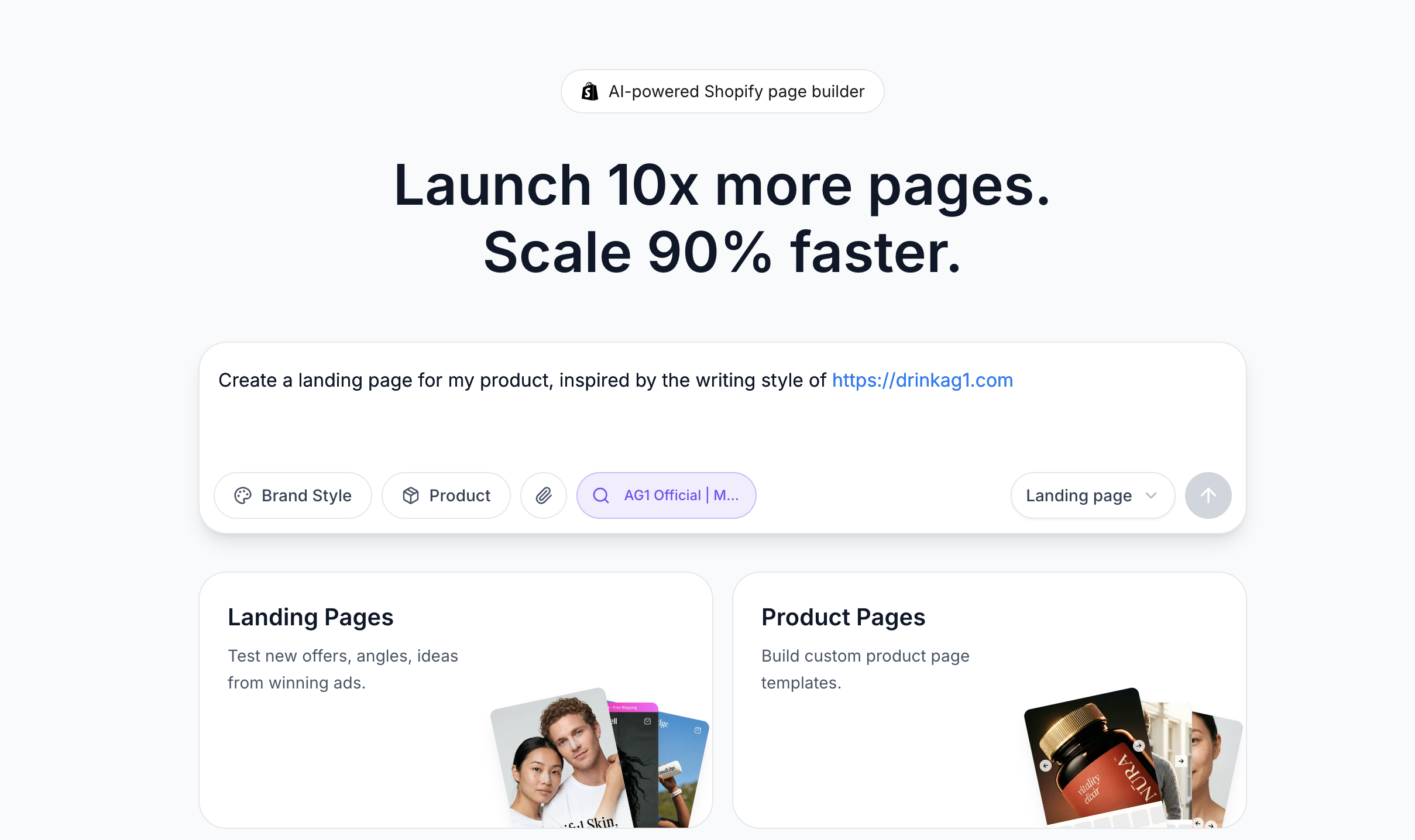
You can now paste any URL directly into the prompt box when creating a new page. EcomWize will automatically fetch the page content and use it as context for smarter AI generation.
How it works:
Paste a URL (or just type a bare domain like
brand.com) into the prompt boxThe link is highlighted in blue and a "Searching" tag appears with a spinner
Once fetched, the tag shows the page title so you know it worked
Hit submit — the extracted content is sent to AI for generating your page name, personas, angles, and full page content
What this means for you:
Drop a competitor's landing page link and get a page inspired by their messaging
Paste your own product page URL so AI understands your brand instantly
Reference any webpage — blog posts, reviews, product listings — as context for better copy
No more copy-pasting product descriptions manually
Details:
Works with any URL format:
https://example.com,example.com,.co.uk,.ai,.de, and moreIf a page can't be reached, the tag shows "Not found" so you know to try another link